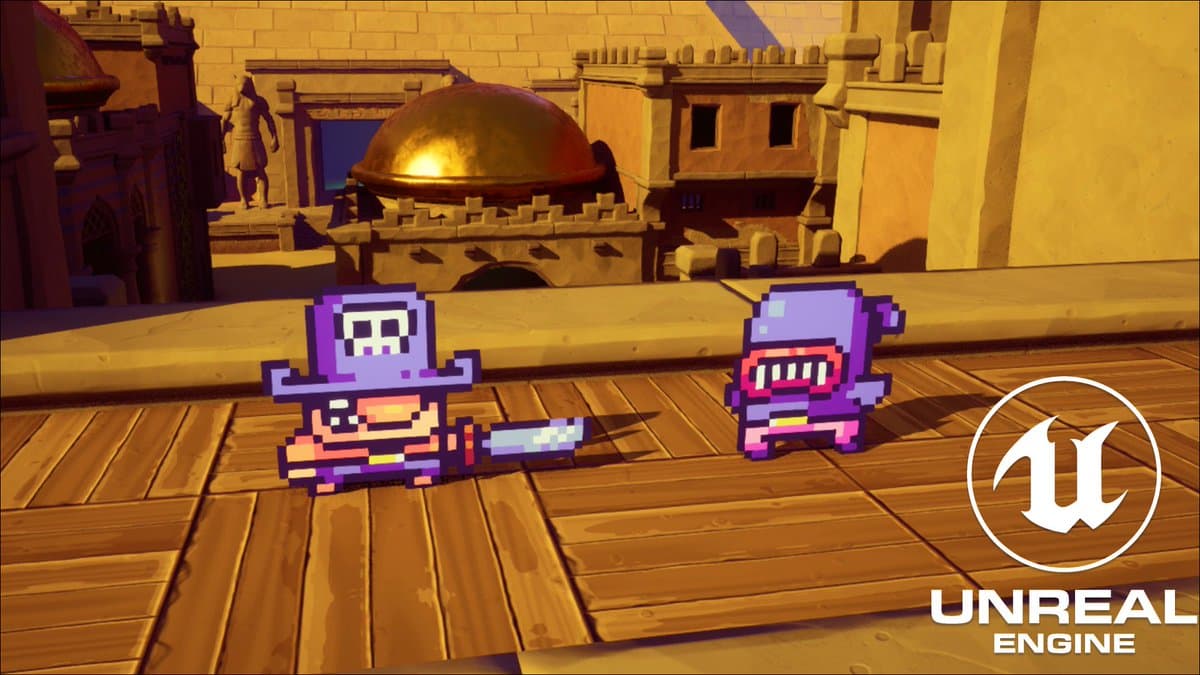
Paper2D Prototype
Blueprint-first 2D action prototype built in Unreal Engine 5.3 using Paper2D and PaperZD - validating a complete gameplay slice with combat, inventory, and world interaction.
Overview
Paper2D is a Blueprint-first 2D action prototype built in Unreal Engine 5.3 using Paper2D and PaperZD animation systems.
The prototype explores core gameplay systems including character movement, combat contracts, UI feedback, inventory architecture and world interaction.
The goal was to validate a complete gameplay slice within Unreal's 2D pipeline while maintaining modular gameplay systems.
TL;DR
- Engine: Unreal Engine 5.3
- Stack: Blueprint gameplay, Enhanced Input, Paper2D, PaperZD
- Scope: Systems prototype (combat, inventory, interaction)
- Role: Solo developer
- Status: Gameplay systems prototype
Problem
This prototype was built to answer four concrete questions before committing to a larger production scope:
- Blueprint scalability - can a Blueprint-driven codebase stay modular and readable as systems grow?
- 2D animation + gameplay systems - can flipbook/PaperZD animation pipelines integrate cleanly with reusable combat and inventory logic?
- Clean input architecture - can Enhanced Input keep actions decoupled and extensible without remapping sprawl?
- Modular gameplay components - can base classes, interfaces, and components be structured well enough to swap content without touching core logic?
The answer was a systems-first approach: define reusable base Blueprints, enforce cross-system contracts through interfaces, and isolate player-facing concerns into dedicated components and UI widgets.
Architecture Breakdown
1. Core Gameplay Layer
The character hierarchy provides shared movement, combat hooks, and input handling for both player and enemy types.
BP_CharacterBase- shared actor logic (movement, state)BP_PlayerBase- player-specific extensionBP_EnemyBase- enemy-specific extensionBP_P_Knight- player implementation (knight character)BP_Wizard- enemy/character implementation
2. Combat Contract
Combat is decoupled from individual character implementations via a Blueprint interface. Visual feedback is isolated in its own actor and widget pair.
BPI_Combat- Blueprint interface defining the damage contractBPA_Damage_Text- actor that spawns floating damage feedbackUI_DamageText- the widget displayed by the damage actor
3. Input Layer
All player input is centralized under Enhanced Input, keeping actions explicit and remapping-safe.
IMC_Input- input mapping contextIA_Move,IA_Jump,IA_Atk,IA_Roll,IA_Interact,IA_Inventory
4. Inventory Layer
Inventory data and UI are fully separated so item definitions evolve independently from presentation.
BP_InventoryComponent- inventory state and item operationsBP_Items- item actor definitionsS_ItemStructure- data struct for item propertiesWB_Inventory,WB_Slot- inventory and slot UI widgets
5. World Layer
Game flow and level setup is managed through a minimal GameMode/PlayerController pair alongside simple traversal objects.
GM_Paper- GameMode defining high-level rulesPC_Paper- PlayerController handling input contextBP_Teleporter- interactable traversal objectPaper_Map(default map),New_Map
Implementation - Key Classes & Flow
This repository contains no
Source/C++ module. All gameplay logic is authored in Blueprints.
| Class | Responsibility |
|---|---|
GM_Paper | High-level game rules and default session flow |
PC_Paper | Player input routing and control context activation |
BP_P_Knight | Playable character - move, jump, attack, roll, interact, inventory |
BP_InventoryComponent | Inventory state management and item operations |
BPI_Combat | Interface boundary for all combat interactions and damage calls |
BPA_Damage_Text + UI_DamageText | Floating damage feedback - actor spawning and widget display |
BP_Teleporter | Interactable world object that transitions player state/position |
Runtime Flow Diagram
Pseudo Code Example
Since implementation is Blueprint-driven, this is a representative pseudo-snippet of the project's input and combat flow:
// Pseudo-code mirroring Blueprint logic patterns used in this repo
// (not copied from a C++ source file)

OnAttackInputTriggered()
{
  if (!CanAttack()) return;

  PlayAttackAnimation();            // Paper2D/PaperZD animation asset
  const HitActors = QueryAttackRange();

  for (Actor Target : HitActors)
  {
      if (Target.Implements(BPI_Combat))
      {
          Target.Execute_ApplyDamage(DamageAmount);
          SpawnDamageText(Target.WorldLocation, DamageAmount);
      }
  }
}

OnInventoryInputTriggered()
{
  bInventoryOpen = !bInventoryOpen;
  WB_Inventory.SetVisibility(bInventoryOpen);
}
Challenges & Solutions
Challenge 1: Keeping systems scalable in Blueprints
Issue: Rapid prototype Blueprints tend to become tightly coupled as scope grows, making future changes expensive.
Solution: Enforce clear system boundaries from the start. Base Blueprints handle shared logic, interface contracts (BPI_Combat) define cross-system interactions, and inventory logic is fully isolated in a dedicated component - keeping each system independently modifiable.
Challenge 2: Integrating multiple 2D animation asset sets
Issue: The project uses character content from different asset groups (Knight, Blue Wizard, Blue Witch), each with different animation organization and naming.
Solution: Standardize all gameplay hooks at the character base level. Animation sets become swappable presentation assets - the gameplay logic does not depend on specific flipbook names or asset paths.
Challenge 3: Input growth over time
Issue: Adding new features progressively leads to input sprawl, where bindings accumulate ad-hoc and become difficult to reason about or remap.
Solution: Centralize all actions in Enhanced Input from the start (IMC_Input + dedicated IA_* assets). New behavior gets a new Input Action and maps cleanly into the existing context.
Performance & Edge Cases
Performance: Current scope is lightweight and fully asset-driven. Key direction for growth: event-driven UI/feedback updates (fire only on state change, not every frame) and avoiding per-frame Blueprint evaluation where possible.
Edge cases to watch:
- Attack input buffering during roll/jump - prevent activation when state is locked
- UI state consistency when toggling inventory mid-combat interaction
- Damage text spawn limits under high hit-rate scenarios
- Teleporter re-trigger guard while player is already in transition
Video Demo
Future Improvements
- Formalize player combat/movement transitions into explicit state machines
- Document Blueprint contracts (
BPI_Combat, inventory data usage) in a lightweight technical spec - Add editor utility scripts for content validation (naming conventions, required references)
- Build a vertical slice map with a clear encounter → loot → traversal loop
- Plan replication boundaries early if multiplayer becomes a target
- Add portfolio artifacts: gameplay video capture, Blueprint architecture diagram, node-graph snapshots
Quick Repo Facts
| Property | Value |
|---|---|
| Engine Version | UE 5.3 |
| Plugins | PaperZD, ModelingToolsEditorMode |
| Default Map | /Game/Maps/Paper_Map |
| Input System | Enhanced Input |
| Repository Content | Unreal binary assets (.uasset, .umap) |